
Free post maker for insurance agents, POSPs and brokers in India
Create free social media posts for your insurance business
Choose a ready-made insurance poster for life, health or motor insurance, or a festival greeting. Your name, photo and number are added automatically. Download it, or share on WhatsApp Status, Instagram and Facebook.
- Free, no card needed
- Hindi and English
- No design skills needed
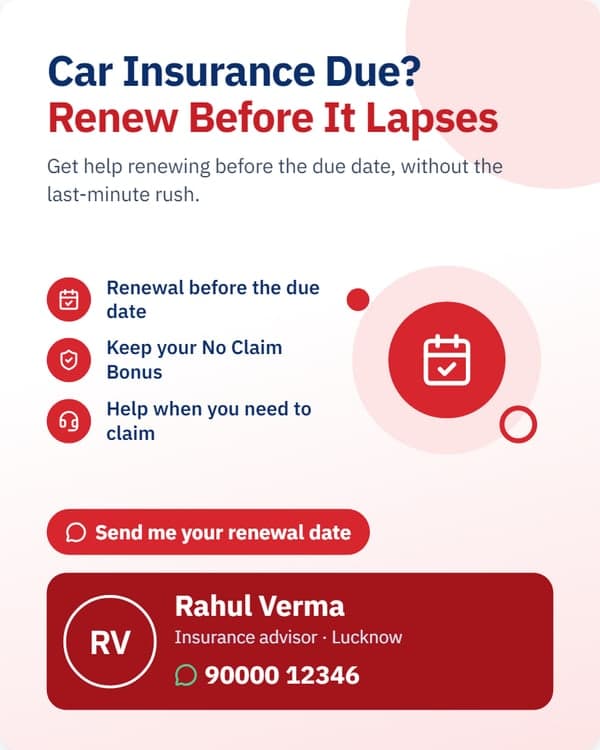
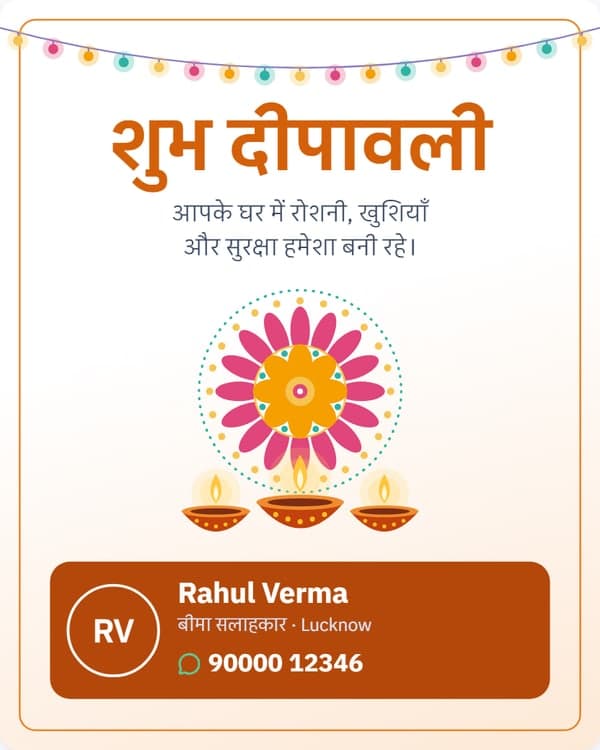
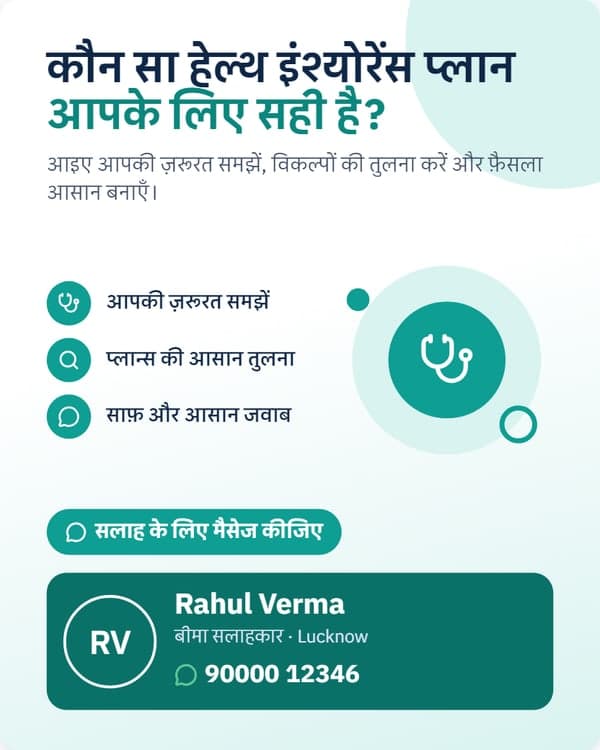
Insurance marketing posts made with RenewLink
Real posts from the app, as an agent shares them. The agent here is a demo account.
The app starts with over twenty designs: health, life, motor and child-future posts, festival greetings, and posts about your own services. Search them by topic, and a post you have shared is marked Posted.
How to make a social media post for your insurance business
Add your details once. After that, each post takes a few taps.
- 1
Sign up
Enter your mobile number and the code we send. No card.
- 2
Add your details once
Your name, photo, city and number go on your profile.
- 3
Pick a design
Choose from Festivals, Advice or Your business, in Hindi or English.
- 4
Check it
Your details are already on it. Change the colour or layout if you like.
- 5
Download or share
Send it to WhatsApp Status, Instagram or Facebook. Copy the caption.
Your name and number are added automatically
You never type on a post. RenewLink fills it in from your profile, every time.
- Your name, and your role, such as Insurance advisor
- Your city
- Your WhatsApp or mobile number, so a customer can message you from the post
- Your photo, if you add one. Without a photo, your initials are used
- A caption in Hindi or English, ready to copy
- No RenewLink logo on your post. It carries your details, not ours
Ready-made designs, not an AI image generator
RenewLink is a post maker, but you do not write a prompt and wait for a picture.
What you do
What you do not do
What to post, and when
Three groups of insurance marketing posts. Most agents mix them through the month.
Festival greetings
Insurance advice
Your business
Made for WhatsApp Status, Instagram and Facebook
WhatsApp Status and Stories
Instagram and Facebook feed
On a computer
Why not design it yourself?
A design app is a good tool if you like designing. This is for agents who just want to post.
- The designs are about insurance, not general festival or business templates
- Your details are put on for you. There is nothing to type or place
- Hindi and English are both ready, with captions
- No insurer's name or logo is on a post, so it is yours to share
The posts come with free insurance software for your business
The same free account keeps your customers and policies, and tells you every morning which renewals are due.
Questions agents ask
Are the insurance posts really free?
Yes. Ready-made posts with your name and number are part of the free RenewLink app. No card is needed.
Is this an AI social media post generator?
No. These are ready-made designs. You do not write a prompt. You pick a design and RenewLink adds your name, photo and number.
Can I put my own name, photo and number on the post?
Yes, and it is done for you. They come from your RenewLink profile, so you do not type them each time. Without a photo, your initials are used.
Can I make my own post from scratch?
Not yet. You choose from the ready-made designs and change the language, colour and layout. You cannot write a post of your own.
How do I make an insurance WhatsApp status?
Pick a design, check your details, and share it. Posts come in a tall size for Status and Stories, and a 4:5 size for the Instagram and Facebook feed. You can also download the picture.
Which languages are available?
Hindi and English. Gujarati and other languages are not available yet.
Which kinds of insurance are covered?
Car insurance, health insurance and life insurance advice, festival greetings, and posts about your own services. Bike insurance has no post of its own yet.
Are there posts for LIC agents?
The posts carry your name, not an insurer's, so LIC agents and agents of any insurer can use them. Check your insurer's rules on what a post may say.
Do I need design skills?
No. Pick a design, check your details, and share it.
Does it work on my phone?
Yes. Open RenewLink in the browser on any phone or computer, or install the Android app.
Start using RenewLink today
Free to use, not a trial. Sign up with your mobile number in one minute.
Questions? Email [email protected] or message us on Instagram @renewlink.in